
17th March 2026
On Tuesday Chris Andrews gave us a presentation on lens filters, specifically hardware filters (as opposed to those in software). He began by explaining how filters work by changing the image entering the camera. He then explained the alternative ways to attach a filter to your lens, using the thread common to the front or nearly all lenses, as well as using adapters for magnetic, push-on and square filter systems.
Chris spoke about buying screw on filters, specifically buying the filter of the largest diameter lens you use and using cheap to purchase “step-up” rings which allow you to fit the filter to lenses of smaller diameters.
Before moving on to describing the common types of filters, Chris explained that there is essentially two types of filters, screw on (round) filters which screw onto the lens and square filters which fit into bespoke filter holders. The advantage of square filter systems was brought to life later in the talk when discussing graduated filters because they allows you to move the filter to adjust the placement of the graduated effect.
Chris went into detail to explain the merits of each filter, this can be summarised as follows:
UV Filters – shut out UV rays but these days are mainly used for protection of the lens front element stopping it getting scratched.
Polarising Filters – useful for landscapes adds depth to your image and enhances blue skies. Equally importantly they eliminate reflections, especially in water and glass.
Neutral Density Filters – come in a variety of formats all to a greater or lesser degree reducing the light hitting the camera sensor.
Graduated ND filters – typically used to reduce the dynamic range of a scene, most commonly to darken bright skies. These filters are available in multiple densities, hard and soft graduations and even reverse graduations.
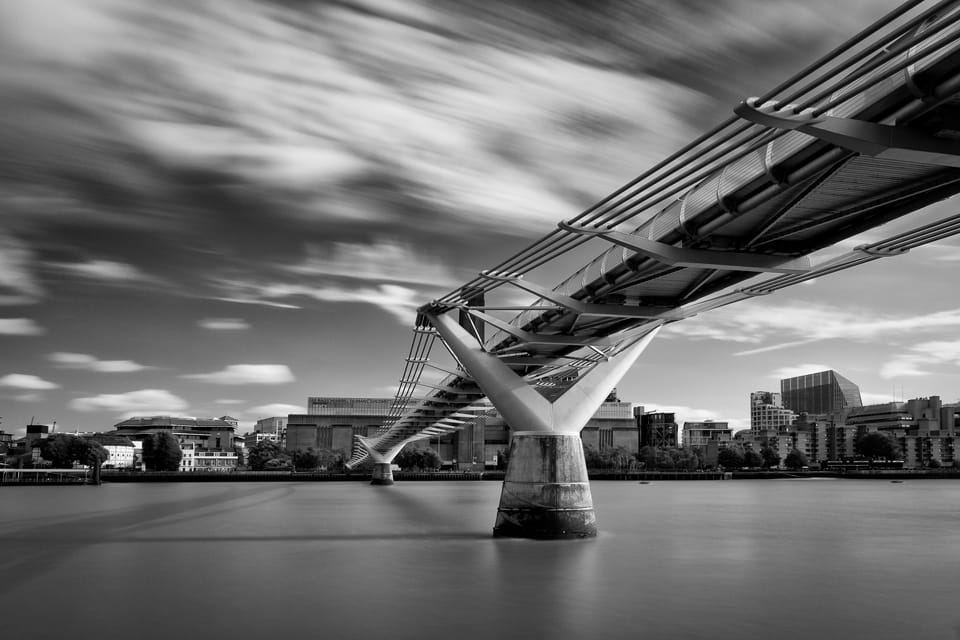
Full Neutral Density filters – these filters reduce the light entering the camera allowing for extended shutter speeds, commonly used for smoothing water and skies giving a calmed appearance to water or clouds.
Chris offered some ideas of regarding buying filters, in particular emphasising that you very much get what you pay for.

After the tea break, the presentation moved on to looking at more creative filters. This began with mist and diffusion filters that can add as he put it, an ‘organic feel to an image when it would otherwise perhaps be super sharp and clinically produced.
His Powerpoint showed three types of creative filters and their effects.
Chris’s presentation was clear, very educational and his delivery understandable and interesting.
Thank you to Chris for explaining the benefits of hardware filters.
Blog written by Carol Haines & Chris Andrews
Next Week: ImageZ Club Challenge Round 4
Really enjoyed the presentation, and made me want to try more creative and different ways of presenting images.
Thanks Chris
I found the talk to be informative and helpful